 Hangar CNC
Technical training · free · no sign-up
A machine does not forgive guesswork. Here, you are allowed to get it wrong.
Set up a lathe, break a tool, scrap a batch, take a crusher apart. It all happens in 3D in your browser, with no risk to the machine or to you.
Best on a computer. No account, nothing to install.
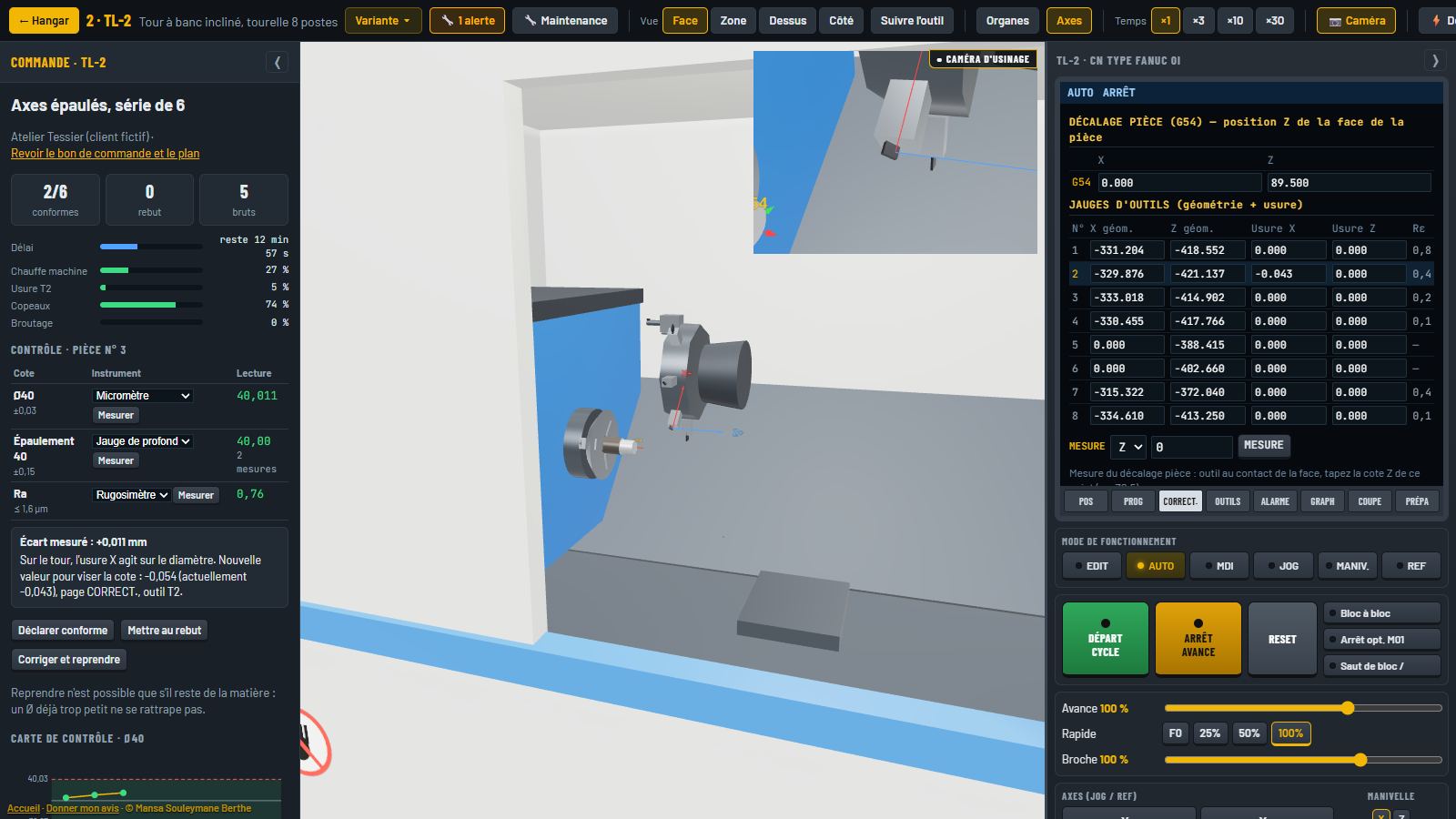
Hangar CNC
From guided lesson to delivered batch
Five machine families: machining centre, lathe, router, laser and plasma cutting, each in three versions. The control panel works like a real CNC, with real G-code.
- Learn with step-by-step guided lessons.
- Test yourself on exam parts, with a dimensioned drawing and a mark.
- Troubleshoot in maintenance mode, lockout included.
- Produce with the new customer orders.
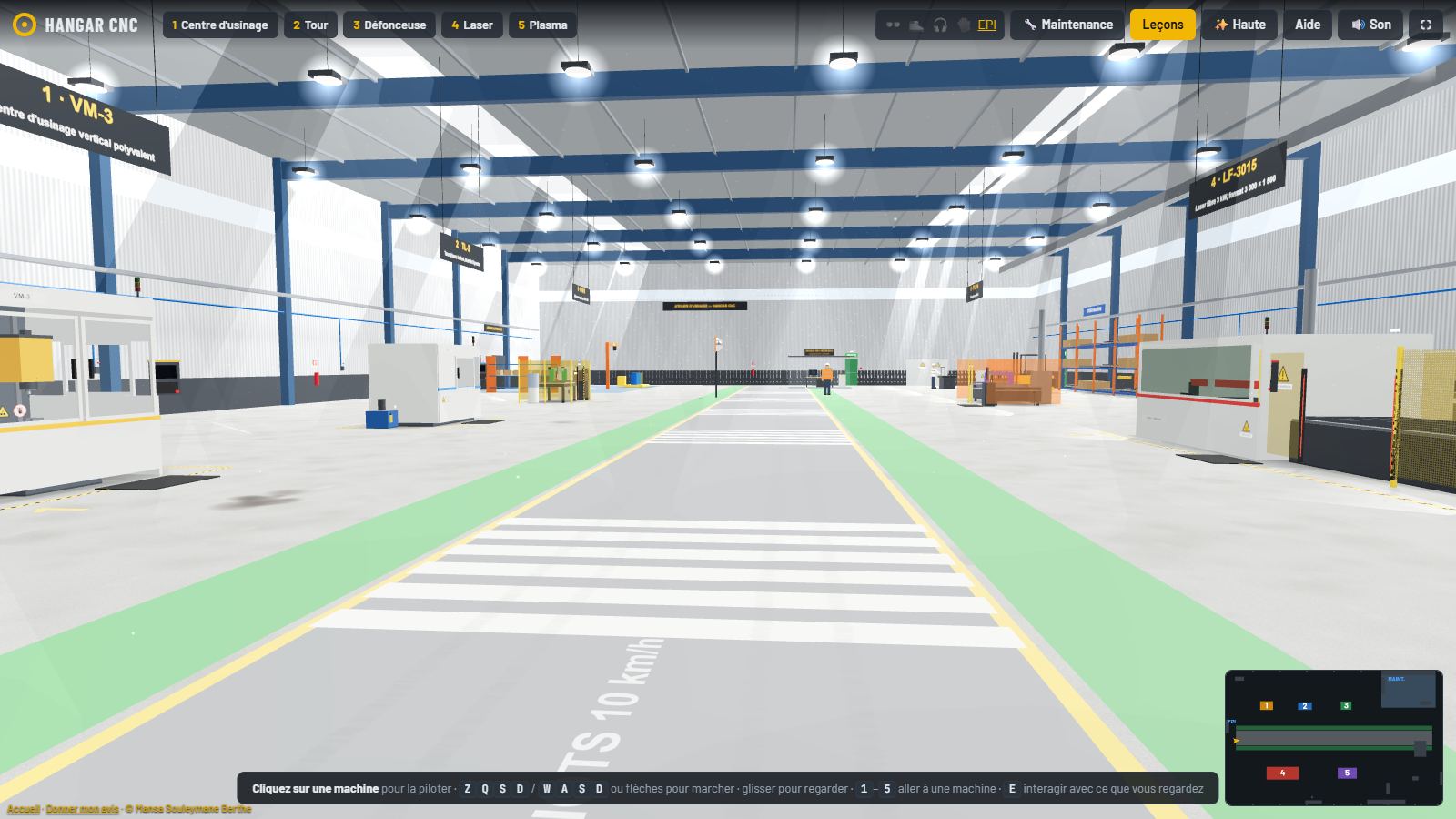
New: customer orders
In batch work, the first good part proves nothing
A customer wants six shafts at ±0.03 mm by a deadline. The machine has just come off another job. Here is what you will have to hold.
- Check the set-upYesterday's forgotten offset, a half-worn insert, clamping too weak: it is all there, and nothing is flagged for you.
- Make the first partMeasure with the right instrument. A caliper is not enough to judge ±0.03 mm.
- Hold the dimensionThe machine warms up, the cutting edge wears, the diameter grows. Correct in time on the offsets page.
- Own the resultsGood parts, scrap, customer returns, lead time and margin. The true values are revealed at the end.
Chatter, part deflection, thermal drift and costs are simplified training models. They build the right reflexes, not values to use on a real machine.
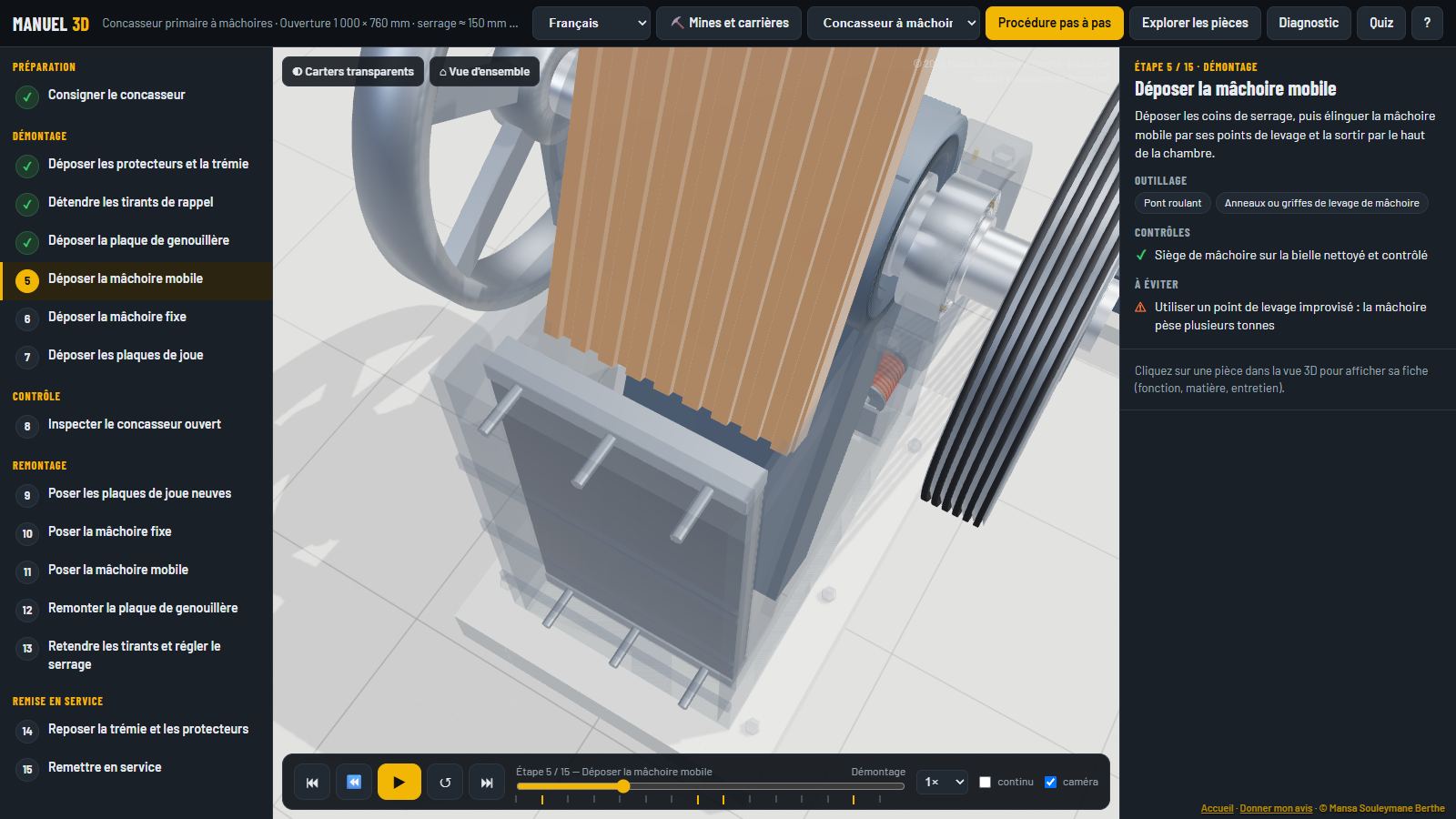
3D Manual
The right move, seen from every angle
Nine pieces of equipment to assemble and dismantle step by step: conveyor, slurry pump, crusher, petrol and diesel engines, electric machines.
- Parts: one click shows the function, the wear and the check to make.
- Troubleshooting: start from the symptom, work back to the cause.
- Quiz: check what has been learned.
- Languages: content in French, English, Spanish, Chinese and Hindi.
What these tools are not
Not a manufacturer's manual. Values are indicative. In the field, the machine's manual and the site's safety rules always come first.
Not yet validated by the trade. The project is just starting. The content has not yet been reviewed by an organisation or a manufacturer.
Not for phones. The control panel and the 3D need a computer screen. On a phone you can browse, but with limits.
Work in the trade? Tell me what is wrong.
Technician, trainer, maintenance manager: an error spotted or a machine to add is worth more than a compliment.
Write to the authorFrequently asked questions
Is it really free?
Yes, for learning and practice. No sign-up and no payment details.
Where does my data go?
Your progress stays in your browser. It is sent nowhere. Details on the Privacy page.
Do I need a powerful computer?
A recent laptop is enough. The first load downloads about 3 MB.
Which languages?
The site and the 3D manuals are in French, English, Spanish, Chinese and Hindi. The CNC shop is being translated: parts of it are still in French.
Can my school or company use it?
Yes, for training. For specific equipment or a custom course, write to me.